
TL;DR: Professional music recording equipment is the connected system a studio uses to capture, monitor, and shape sound: a computer and recording software, an audio interface and preamps, a range of microphones and the accessories around them, accurate monitoring inside a treated room, and the controllers and hardware that shape how a session runs. What separates it from entry-level gear is that it has to deliver to a professional standard for a different artist every week, which is why studios stock a mix of tools every visiting engineer already knows and instruments or hardware you cannot get at home. No single item makes a recording sound professional; the chain does, along with the person running it. If you are booking a studio rather than buying equipment, the useful skill is knowing what to ask about beforehand.
Equipment lists are the easiest thing to write about a recording studio and the least useful thing to read in isolation. A microphone that sounds superb on one voice can be the wrong choice for the next one, and a preamp with a reputation adds nothing if the microphone feeding it is wrong for the source. What matters is how the pieces connect and whether the studio can offer a real choice at each point. This guide works through the equipment in a professional studio the way an engineer thinks about it, and ends with what to check before you book.
What Is Professional Music Recording Equipment?
Professional music recording equipment is gear chosen to deliver to a professional standard and to work for whoever books the room. That second requirement explains most of what you find in a studio, including why so many rooms stock the same handful of well-known pieces.
The difference shows in what a studio taking bookings has to do. Equipment in a home setup only has to work for one person, on their material, in their room. Equipment in a professional studio has to work for a different artist every day, across genres, at short notice, with no time to troubleshoot. That changes what gets bought: reliability over specification, and redundancy where a failure would stop a session.
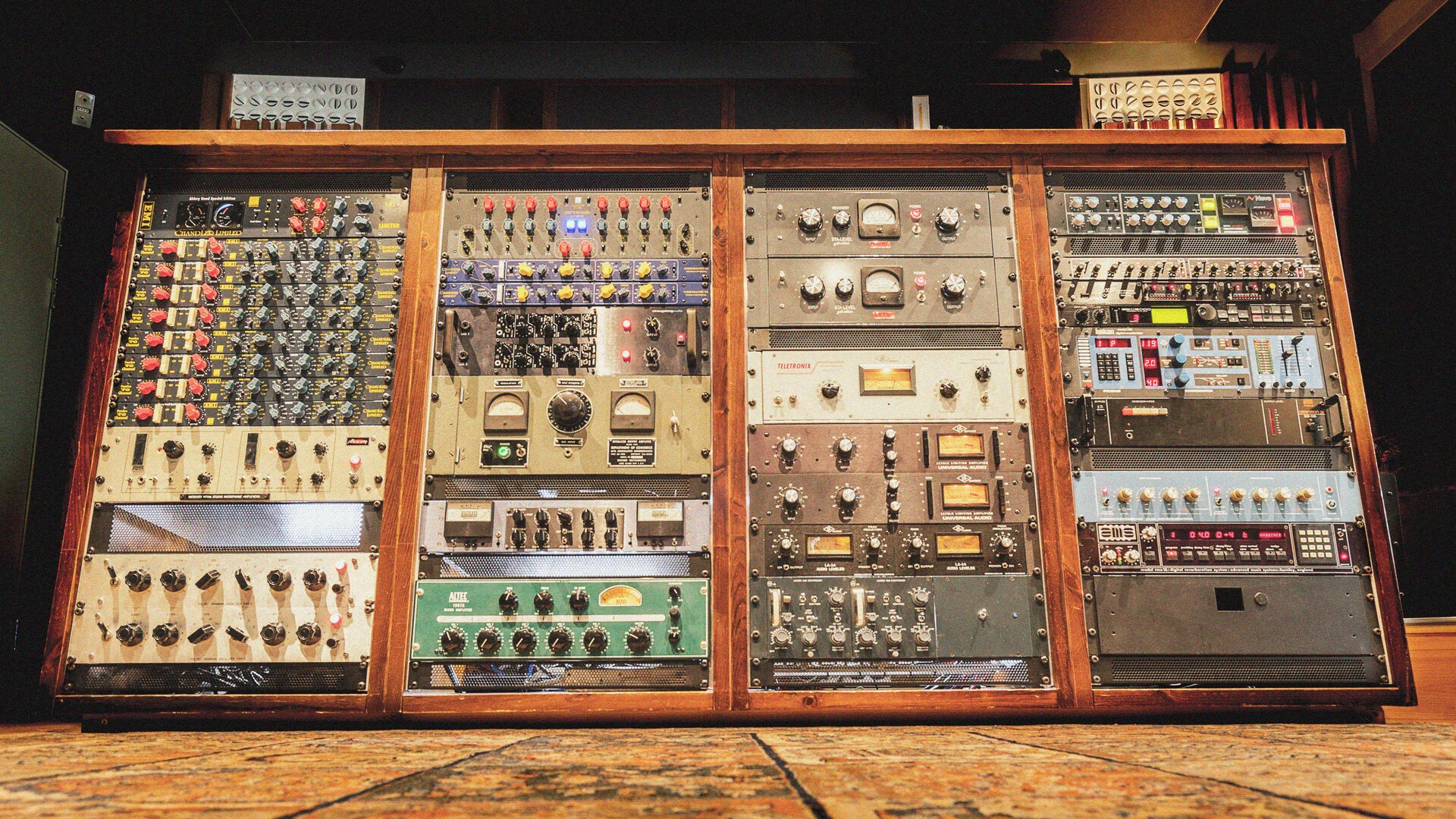
A studio also has no idea who is walking in next. One week it is a producer who works entirely in software, the next a band arriving with an engineer who has firm preferences. Rooms stock accordingly, which is why a Neumann U87, a Neve 1073, and an 1176-style compressor turn up in studio after studio. They are not there because nothing better exists. They are there because almost every visiting engineer has used them, knows what they do, and can get a result without first learning an unfamiliar box. Familiar tools are safe tools when the clock is running.
The 1073 shows how a piece becomes a staple. Neve built it in 1970 as a channel module inside a console, and as studios closed and consoles were decommissioned over the following decades, engineers pulled the modules out and racked them, which is how a console strip became a portable fixture in rooms that never owned the desk it came from (AMS Neve, n.d.).
The same uncertainty pulls in the other direction too. Plenty of rooms build a reputation on what you cannot get anywhere else: a particular vintage compressor, an unusual microphone, a synthesizer or guitar that is hard to find. Instruments are where this counts most, since a rare synth or a specific old guitar is often the thing that decides which room an artist books, and it is not something a laptop can substitute for. The staples make a studio safe to book. The unusual pieces make it worth choosing.
Scale is a separate question from standard. A room built for tracking bands needs space, isolation, and a lot of microphone inputs. A writing room needs somewhere comfortable to work and enough to capture an idea before it goes. A vocal studio may need one excellent chain and nothing more. We cover the range in our guide to types of recording studios, and all of them can be professional. What makes them so is whether the work leaving the room meets a professional standard, not how much equipment is in the rack.
It also changes what happens after the purchase. In a professional recording studio, equipment also needs to be maintained consistently, with microphones serviced, monitors calibrated, cables tested and replaced, and routing documented so sessions can be reconfigured quickly. None of that appears on an equipment list, and it is a large part of what the rate pays for.
The equipment itself divides into four connected parts:
| Part of the system | What it does | Typical items |
|---|---|---|
| The recording chain | Carries sound from the performance into the recording | Microphones, preamps, direct boxes, converters, recording software |
| The monitoring chain | Lets everyone hear accurately, in the control room and in headphones | Converters, studio monitors, headphone amplifiers, cue systems |
| The room | Shapes the sound before any equipment touches it, and keeps sources separate | Live room, isolation booth, control room, acoustic treatment |
| Workflow tools | Speed up decisions and give hands-on control | Controllers, MIDI keyboards, control surfaces, patchbays, outboard hardware |
Computer, DAW, and Studio Software
The computer and the recording software are the foundation a session runs on. Most professional rooms are built around a Pro Tools rig, and most also expect artists to arrive with a session running on something else entirely.
A DAW, or digital audio workstation, is the software where audio is recorded, edited, arranged, mixed, and often mastered. At the professional level, the house system is usually Pro Tools, widely regarded as the strongest option for tracking and editing, with Logic Pro and sometimes Ableton Live available alongside it. Those two get used for recording as well, but they lean toward programming and production, which is where most of their work happens.
That is the room's rig, not a rule about the session. A great deal of professional work now runs on the artist's or producer's own laptop, in Logic, Ableton, or whatever they build in, plugged into the studio's converters and monitoring. Studios handle this routinely and it is a normal way to use a professional room. What matters is agreeing beforehand which machine is actually recording, so routing and file handling get settled before the clock starts rather than during it.
Processor and memory headroom matter, but what actually drives the requirement is buffer size. Audio moves through the computer in buffers, small chunks of memory that hold audio while the operating system attends to other tasks. Smaller buffers mean less delay but far more work: at a 64-sample buffer and 44.1 kHz, those buffers are filled and emptied hundreds of times a second, and the driver overhead on each pass adds up to a noticeable rise in processor load (Sound On Sound, 2005). Hence the usual two-stage approach: a low buffer while tracking, when timing matters, and a higher one for mixing, when plugin count matters more.
Storage and housekeeping matter for duller reasons. Multitrack sessions are large, sample libraries stream from disk in real time, and a session that has not been backed up is one drive failure from gone. Control room machines also need to run quietly, since a fan a few feet from the listening position is audible in every quiet moment of a mix. When you book a room, checking which computer and which version of Pro Tools the studio runs is one of the first things experienced engineers and producers do.
Audio Interfaces, Preamps, and Signal Chain
Signal flow is the path a signal takes through the studio: from the source into the recording, then back out to speakers and headphones, with detours through outboard and cue sends along the way. This section covers the input side; monitoring gets its own section below.
Every stage on that path either preserves what happened in the room or adds something unwanted, which is why professional studios build it deliberately rather than assembling it from whatever connects. It is also why engineers learn to trace it end to end, from the source through the preamp and converters into the DAW, then back out through the converters to the speakers, since that is how you find the stage where something has gone wrong.
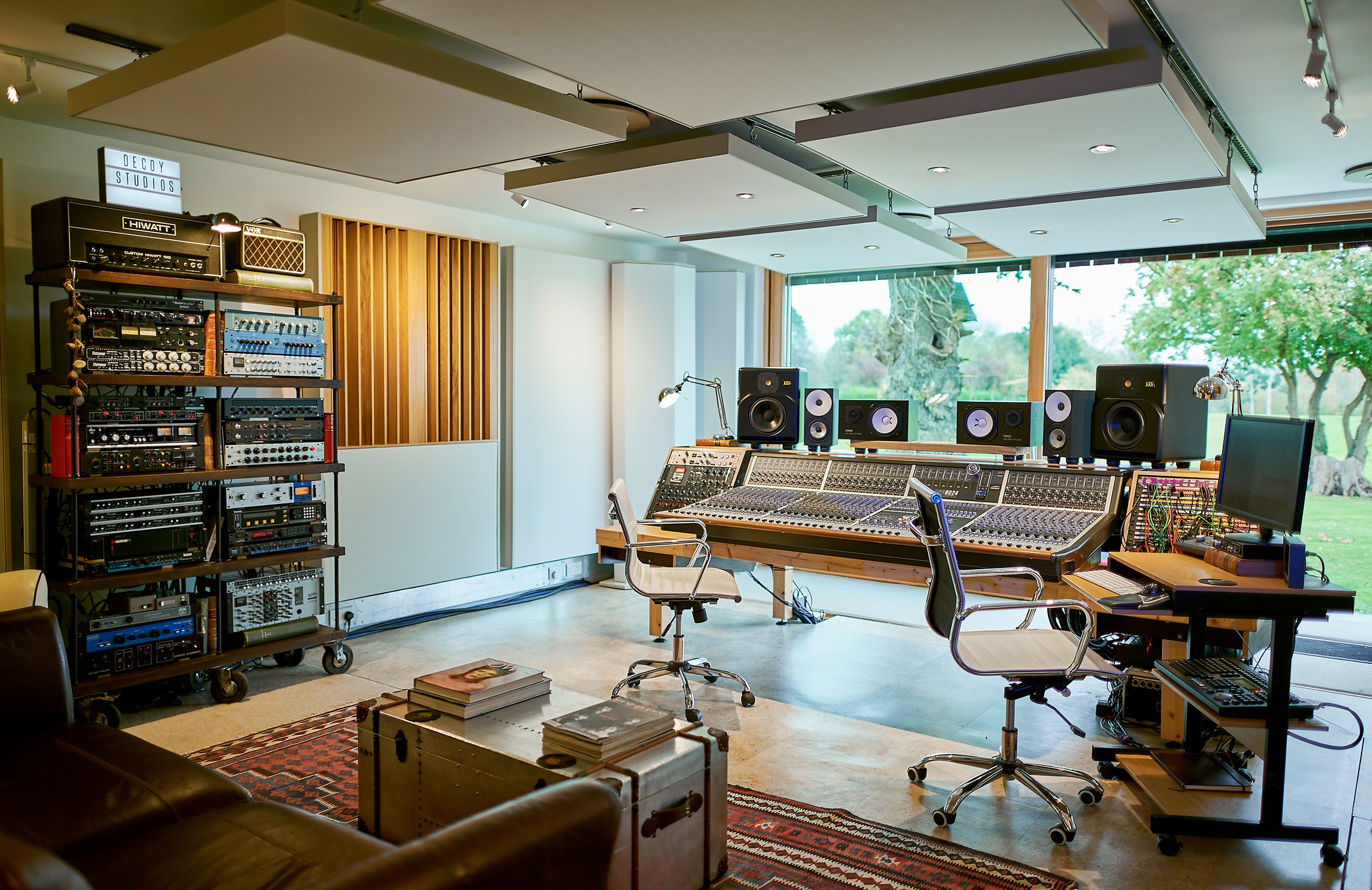
Interfaces and converters. An audio interface is the hardware that converts analog sound into digital data and back. Its inputs tell you what it is for: XLR inputs for microphones, line inputs for keyboards and outboard hardware, instrument inputs for guitar and bass, and combination jacks that accept more than one. Compact rooms usually do all of this in one box. Larger facilities separate the jobs, running standalone preamps into standalone converters, so each stage can be specified, upgraded, and replaced on its own.
Preamps. A preamp raises the very low output of a microphone to line level, the standard level the rest of the studio works at. Gain is the practical concern: set it too low and you record closer to the noise floor than you need to, set it too high and you clip. Low-output microphones need plenty of clean gain, which is one reason a room keeps preamps beyond the ones built into its interface. Preamps are also where phantom power comes from, the voltage condenser microphones need to run, covered in the microphone section below.
Clocking. As soon as two digital devices are connected, they have to agree on timing. One device acts as the clock leader and the rest follow it, and if that is not set correctly the result is dropouts, pops, clicks, or bursts of white noise (Focusrite, n.d.). In a small setup the interface is the leader and there is nothing to think about. Larger facilities often run a dedicated clock generator with distribution around the building, connecting each device directly to it rather than passing the clock from one unit to the next, since chaining it degrades the signal at every step (Focusrite, n.d.).
The console. Where a desk is present, it is the hub the room is organized around. Sources arrive at the console's own microphone preamps or come in from the outboard rack, get sent to the DAW, return for monitoring, and feed the headphone mixes performers hear. Most rooms now work in a hybrid way, tracking through the desk and its preamps while editing and much of the mixing happen in software. What the console contributes to a session is immediacy: a physical control for every channel, and routing changes that take a hand rather than a menu.
The patchbay. The patchbay is the panel of sockets that lets an engineer reroute any source to any destination without recabling, and it is what makes a large room reconfigurable in minutes. It carries one hazard worth knowing: patching microphone lines while phantom power is live briefly applies that voltage where it should not go. Royer Labs calls this the leading cause of blown ribbons in professional studios (Royer Labs, 2024).
Monitoring delay. Sound passing into the computer and back out is delayed twice, so what a performer hears while tracking is double the playback figure. Interfaces sidestep this with direct monitoring, routing the input straight back to the headphone output, though converters each add around a millisecond, so "zero latency" in practice means roughly two (Sound On Sound, 2005). Direct monitoring gives a dry signal, so studios add reverb to the headphone mix with hardware instead, which is how a vocalist hears effects in the cans without any lag.
Microphones, Stands, and Recording Accessories
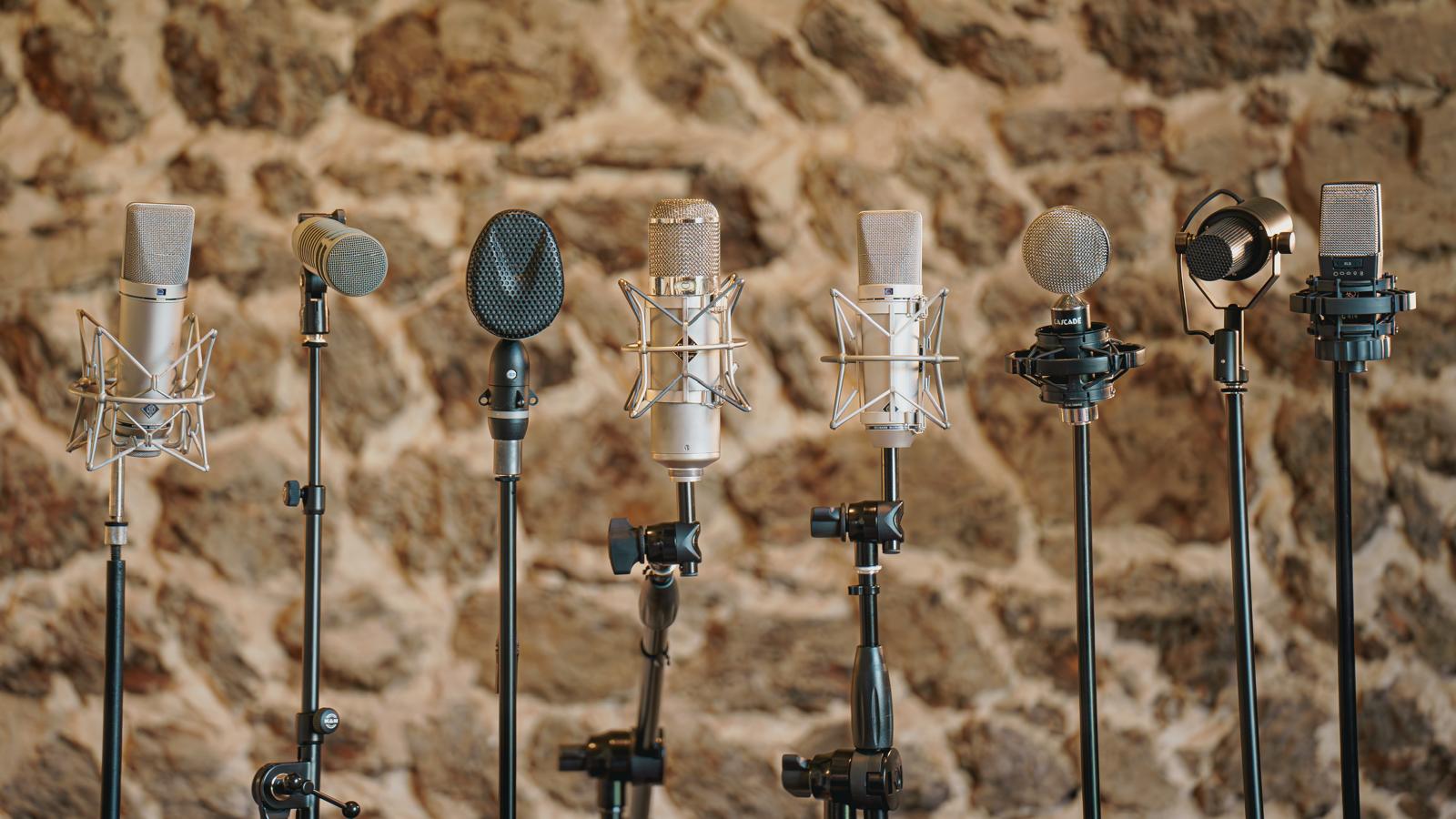
Microphone choice is a matter of matching the transducer and the pattern to the source. A well-stocked room gives an engineer several options for the same voice or instrument; a smaller room covers the ground it needs with fewer, chosen carefully.
Microphones are grouped first by how they turn sound into electricity, and studios stock all three. The differences are practical rather than a question of one being better.
| Type | How it works | Power needed | Commonly used on | Handling notes |
|---|---|---|---|---|
| Condenser | A thin diaphragm and a backplate act as a capacitor; the capsule needs a polarizing voltage | Phantom power | Vocals, acoustic instruments, drum overheads, room sound | Sensitive; picks up room and noise readily |
| Dynamic | A coil attached to the diaphragm moves in a magnetic field | None | Snare, toms, guitar amplifiers, loud vocals | Robust; tolerant of high levels and rough handling |
| Ribbon | A thin metal ribbon suspended between magnets | Passive designs none; active designs phantom | Guitar amplifiers, brass, strings, room mics | Fragile; keep away from wind, switch phantom off before connecting |
Phantom power is the DC voltage a condenser microphone needs to run its internal electronics, switched on at the preamp or interface and marked 48V. The worldwide standard covers 11 to 52 volts, with typical studio microphones running on 48 (Shure, 2014). Two habits go with it: switch it off before plugging or unplugging anything, and keep it away from passive ribbon microphones.
Two further distinctions matter as much as the type. Diaphragm size splits condensers into large-diaphragm designs, the usual choice for lead vocals, and small-diaphragm designs, favored for acoustic instruments, drum overheads, and anywhere fast transient detail matters. Head amp electronics splits them again. A valve microphone, also called a tube mic, amplifies the capsule signal with a vacuum tube where a modern condenser uses a solid-state transistor, which is why a valve mic arrives with its own power supply and multi-pin cable instead of running on phantom power (Neumann, n.d.). Valve designs are usually what an engineer means when asking what a room has for vocals. The same split appears in ribbons, which come in passive versions and active ones with their own electronics.
Ribbons deserve the extra caution. Leaving phantom power on, or using a shorted or miswired cable, can stretch or blow the ribbon, sometimes leaving a microphone that still works but at reduced output (Royer Labs, 2024). Modern active ribbons are far more forgiving, but the habit is worth keeping.
The other property that decides microphone choice is the polar pattern, the shape of the area a microphone listens to. A cardioid pattern picks up mostly from the front, an omnidirectional pattern from all around, and a figure-eight pattern from front and back while rejecting the sides. With several musicians playing at once, pattern choice is how an engineer controls how much of the drum kit ends up on the piano track.
Accessories tend to be listed together, but each solves a different problem. Pop filters intercept the blast of air from consonants like p and b before it reaches the diaphragm. Shock mounts suspend the microphone so vibration traveling up the stand does not reach the capsule. Reflection filters absorb some of the room around the microphone, which helps in an untreated space and is not a substitute for treating one. Stands hold position precisely and stay there, which is why booms and heavy bases matter over a drum kit or a piano lid.
Cables deserve more attention than they get, and the distinction that matters is not XLR against TRS but balanced against unbalanced. A balanced connection sends the signal on two conductors and lets the receiving equipment cancel anything picked up along the way, typically removing ground loop interference by 50 to 100 dB, which is why balanced cabling is standard in professional installations (Benchmark Media Systems, 2018). A quarter-inch TRS connector can be either a balanced mono connection or an unbalanced stereo one, so the connector alone tells you little.
Monitoring and Acoustic Environment
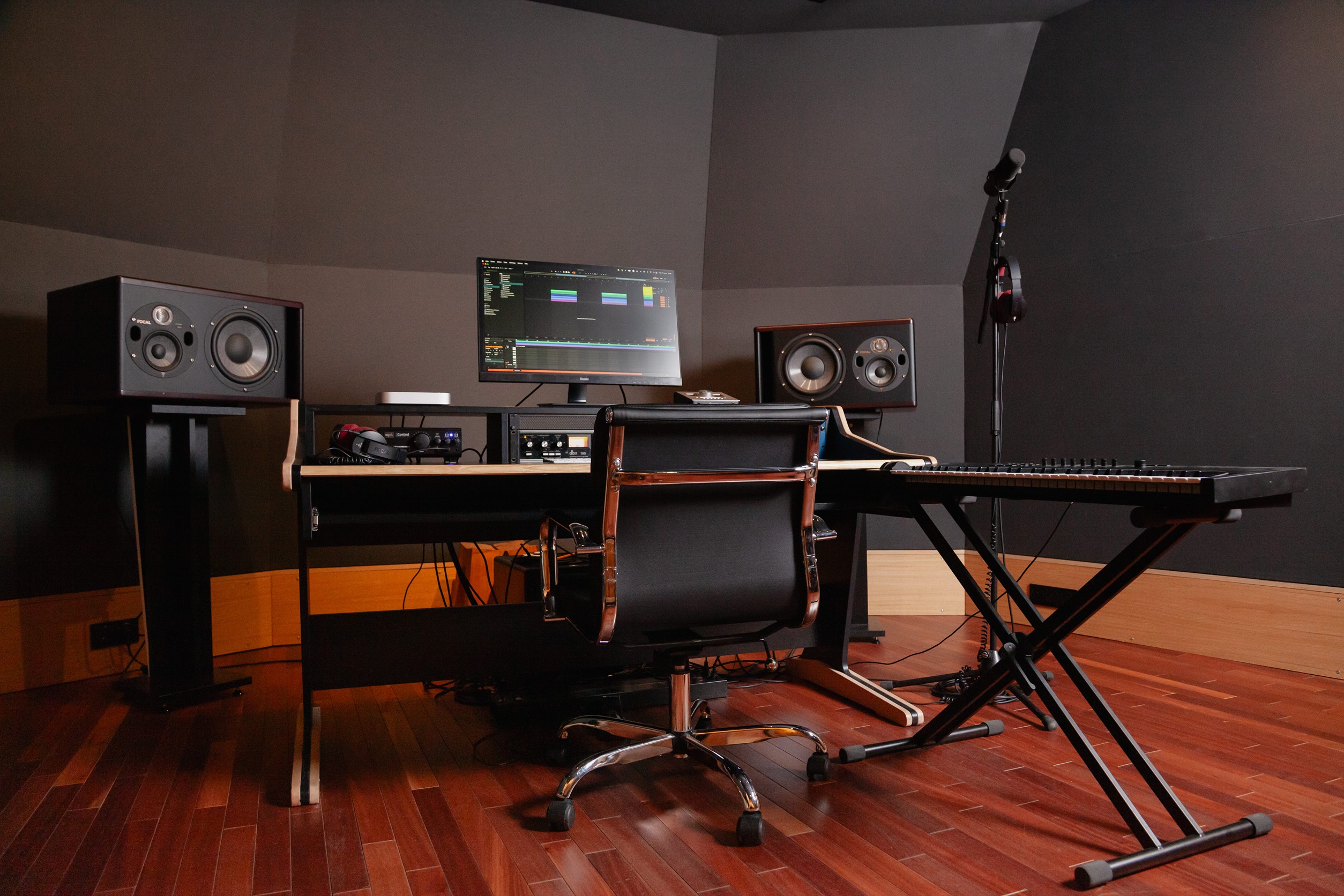
Monitoring equipment and the room work as one system. Speakers can only be as accurate as their position and the acoustics allow, which is why two rooms with identical monitors can tell you very different things about the same mix.
Studio monitors are loudspeakers designed to reveal what is on a recording rather than to flatter it. No monitor is genuinely neutral, though, and every pair introduces some character. What matters is that the engineer knows how a particular pair translates to other playback systems, which is why professionals develop long loyalties to monitors they know well.
Position does as much work as the speakers. Genelec's guidance is to set the angle between the left and right monitors at 60 degrees with each aimed at the listening position, put the monitor's acoustical axis at ear height, usually 1.2 to 1.4 meters from the floor, keep the listening position at least a meter from the walls and centered on the room's left-right symmetry axis, and keep the front of the cabinet within about 60 centimeters of the wall behind it (Genelec, n.d.).
Headphones do a different job. Closed-back designs are standard for tracking because they leak far less sound into a nearby microphone, which matters when a vocalist is singing to a click. Open-back designs are more comfortable and often more revealing, so they turn up in editing rather than the live room. A professional room also has a cue system: headphone amplification and several independent mixes, so a drummer can have more click and less guitar than everyone else.
Then there is the room. Acoustic treatment controls how sound behaves inside a space, using absorption to reduce reflections, bass traps to manage low-frequency build-up, and diffusion to scatter sound more evenly. For smaller setups, our guide to home studios explains how these principles can be applied in a home recording environment. In a professional room, it is already done, which is why the same microphone and preamp will give you a different result there than in a spare bedroom.
Controllers, Outboard Gear, and Workflow Tools
Controllers and outboard hardware rarely change what a studio can record. They change how quickly decisions get made and, in the case of outboard, whether a sound is committed at the moment of capture.
MIDI keyboards and pad controllers send performance data rather than audio: which note was played, when, and how hard. Because that data is separate from the sound, a part played on a controller can be re-voiced, corrected, or re-timed afterward without replaying it, which is why programming and keyboard arrangements are built this way even in rooms full of vintage hardware. Control surfaces put physical faders, knobs, and transport controls in front of a DAW. The benefit is not sound quality but simultaneity: an engineer can ride three faders at once and keep their eyes on the artist rather than the screen.
Outboard gear means hardware processors used in the signal chain rather than plugins inside the computer. The two most common are compressors, which reduce the difference between the loudest and quietest parts of a signal, and equalizers, which raise or lower particular frequency ranges. Channel strips combine a preamp, compressor, and equalizer in one unit.
The trade-off is worth being honest about. Software now covers most of what outboard does, and a great deal of commercial music is mixed entirely in the box. What hardware offers is a specific character, hands-on control, and the option to commit a sound at capture. That commitment is a real cost, since a compressed vocal cannot be uncompressed later, and experienced engineers make it deliberately for that reason. Access to the right piece of outboard for a source remains one of the things that distinguishes a well-equipped room, which is part of what makes tracking studios worth booking for capture-heavy work.
Professional Equipment vs. Home Recording Gear
The building blocks are the same in both. What changes is the room around the equipment, the person operating it, and whether anything is maintained. Before booking, confirm the specific items your session depends on will be there.
A capable home setup covers the essentials: a computer and DAW, an interface, monitors, a microphone or two, and often a controller. The professional version is the same categories inside a room designed for the job, kept working by people who use it daily, with an engineer who knows both, and we compare the two in full in our home studio vs. professional studio guide. What is hardest to replicate is that combination rather than any single item, along with the live room itself, since a space large enough for a group to play together with isolation for loud sources is a building decision rather than a shopping decision.
Equipment is the thing most often assumed rather than confirmed, so five questions are worth asking before a session:
- Are the specific microphones and preamps I am counting on available on my date? Equipment gets booked out, lent between rooms, or sent for repair.
- Is an engineer included, and at what level? An assistant keeps a session running; an engineer runs it. The recording studio rates you are quoted usually reflect which one you are getting.
- Which DAW does the room run, and what will I leave with? Session files, stems, or both.
- How many independent headphone mixes does the cue system support? This matters as soon as more than two people are playing.
- Is the live room big enough, and isolated enough, for what I am recording? A drum kit and a solo vocal have very different requirements.
Our guide to how to book a recording studio session covers the rest of the process.
Common Equipment Mistakes to Avoid
Most equipment problems in recording are not caused by the equipment. They come from mismatching gear to the source, ignoring the room, or booking a space without checking the chain end to end.
- Choosing gear over room quality. An excellent microphone in an untreated, reflective room still records the room. Treatment usually does more than the next purchase.
- Ignoring monitor placement. Speakers at the wrong height, at unequal distances, or pushed into corners give a misleading picture, and every mix decision made on them inherits that error.
- Using the wrong microphone for the source. A sensitive condenser on a loud amplifier, or a polar pattern that picks up everything you were trying to exclude, causes problems no amount of processing fixes later.
- Overlooking cables, stands, and accessories. A failing cable, or a stand that creeps during a take, costs more session time than any component upgrade saves.
- Booking a studio without checking the full signal chain. Assuming a specific microphone, preamp, or cue setup will be available is the most avoidable version of this.
Conclusion
Professional music recording equipment is a system rather than a shopping list. The computer, DAW, interface, preamps, microphones, monitoring, and room all shape the same signal, and the weakest link sets the ceiling for everything downstream.
That is why an equipment inventory alone rarely tells you whether a studio suits your project. A room with a modest list, good acoustics, and an engineer who knows both will often deliver more than an impressive inventory in a space that has not been thought through. The questions that matter are whether the room and its equipment suit the source you are recording, whether they are maintained by people who use them daily, and whether the standard the studio works to matches what your project actually needs. Match the studio to the project rather than to the list, and confirm the specifics before the date rather than on it.
Not sure which room fits your project? Tell Pro Studio Time what you are recording and we will come back with a shortlist of studios whose rooms, equipment, and engineers match the session.
FAQs
Why is an audio interface important in recording?
The interface converts analog sound to digital and back, so its converters and preamps sit in the path of everything you record and everything you hear. It also supplies phantom power for condenser microphones, feeds headphone outputs for performers, and determines how much delay a performer hears while tracking. No processing afterward recovers what it did not capture cleanly.
What type of microphone is best for professional recording?
There is no single best type, which is why studios keep a range. Condensers are sensitive and detailed, suiting vocals, acoustic instruments, and overheads in a controlled room. Dynamics are robust and tolerant of high levels, suiting snare drums and guitar amplifiers. Ribbons suit amplifiers, brass, and room miking, and need care around phantom power (Royer Labs, 2024). The right choice depends on the source, the room, and the voice in front of you.
Do professional studios still need outboard gear?
Need is the wrong word, since plenty of commercial records are mixed entirely in software. What outboard offers is a specific hardware character, hands-on control, and the option to commit a sound at the point of capture rather than deferring the decision. For engineers who work that way, having the right compressor or equalizer for a given source changes the result, which is why well-equipped rooms still keep racks of it.
What should I ask about studio equipment before booking?
Ask whether the specific microphones and preamps you are counting on are available on your date, since equipment gets booked out or sent for repair. Then ask whether an engineer is included and at what level, which DAW the room runs and what files you will leave with, how many independent headphone mixes the cue system supports, and whether the live room suits your source. Confirming these in advance prevents the most common day-of problems.
